Earlier this year, my school district began to transition from school-issued MacBooks to Chromebooks. Needless to say, the change was a big one. I presented to elementary staff this set of slides designed to help them find the new settings, move files to Drive, and just overall get the feel for using the new device.
The presentation is broken down into Settings, Google Drive, and Create With Chrome. The slides in themselves aren't designed to be a tutorial but accompanied my explanations. Hopefully, there is still helpful information contained within them. If you'd like your own copy of these slides, here's the link.

Showing posts with label #createwithchrome. Show all posts
Showing posts with label #createwithchrome. Show all posts
Tuesday, April 7, 2020

Saturday, March 7, 2020
If you like Remove.bg then you're going to love Unscreen.com
When Remove.bg hopped on the scene, arduous hours in Photoshop to remove backgrounds from photos disappeared in an upload and a quick. Now, the same folks are back with Unscreen.com, a tool to instantly remove backgrounds from video clips and then easily layer in a new background. Final products download as .Gif files.
Simply upload a clip and then pick either a stock background or upload your own. Here the site is preparing a clip of me irresponsibly lighting 30-year-old Mexican firecrackers I had bought in junior high from a lady who sold these homemade dandies on the beach in Puerto Peñasco. They were in a bunch of junk my mom had recently cleaned out of my old bedroom...but I digress.

After the upload was complete, I picked one of the stock backgrounds to gauge how the clip looked.
 I could have stopped right there as the project was pretty cool, but I thought, "Why not make this video doubly ridiculous?". For my background, I upload a dumb clip of me dunking a basketball on an eight-foot and somewhat leaning basketball hoop. I think it turned out pretty cool.

Now I am thinking, "How many other videos of me doing silly things could I layer into this?". There have to be five or six floating around my Google Photos.
I am sure there are a ton of curricular applications for Unscreen, but I always have the most fun learning a new tool by creating something of absolute little use to the educational advancement of anyone...like this.
Thanks, as always, to the incredible Brian Briggs who shared Unscreen with me this week by mashing up other videos that were "of absolute little use to the educational advancement of anyone."
Simply upload a clip and then pick either a stock background or upload your own. Here the site is preparing a clip of me irresponsibly lighting 30-year-old Mexican firecrackers I had bought in junior high from a lady who sold these homemade dandies on the beach in Puerto Peñasco. They were in a bunch of junk my mom had recently cleaned out of my old bedroom...but I digress.

After the upload was complete, I picked one of the stock backgrounds to gauge how the clip looked.
 I could have stopped right there as the project was pretty cool, but I thought, "Why not make this video doubly ridiculous?". For my background, I upload a dumb clip of me dunking a basketball on an eight-foot and somewhat leaning basketball hoop. I think it turned out pretty cool.
Now I am thinking, "How many other videos of me doing silly things could I layer into this?". There have to be five or six floating around my Google Photos.
I am sure there are a ton of curricular applications for Unscreen, but I always have the most fun learning a new tool by creating something of absolute little use to the educational advancement of anyone...like this.
Thanks, as always, to the incredible Brian Briggs who shared Unscreen with me this week by mashing up other videos that were "of absolute little use to the educational advancement of anyone."
Wednesday, March 4, 2020
Engage Learners with Ryan O'Donnell's Bevy of Templates
Whether it is a template to edit of a mock Time cover and article or it is a fake social media profile to doctor, the Templates section of Rocklin, California media-arts teacher Ryan O'Donnell's CreativeEdtech.Weebly.com is sure to hold a number of engaging activities you will find your kids can't enough of editing.
 As part of my upcoming "25 Insanely Great Ways to Use Keynote" presentation at next week's MACUL conference, I wanted to include the George Washington Time template Ryan generously shares on his site. He creates them in Google Slides, but they can be downloaded and then used with PowerPoint or Keynote.
The main instructional idea behind the templates is that any content can be used for students to show their knowledge in a way far more creative than the standard typed report. Besides this George Washington one, there are a number of other magazine templates as well as some very clever social media profiles and posts templates.
During the #CreateWtihChrome holiday advent calendar that Ryan, Brian Briggs, Jen Giffin, and I hosted, Ryan created a template challenge. I chose to do a Twitter profile for fictional baseball player Crash Davis, from the marvelous movie Bull Durham.

It was a lot of fun to go through the exercise and really analyze four characters from what is often correctly heralded as the greatest baseball movie ever made. It made me think about the depth of knowledge this activity would elicit from high schoolers analyzing a novel like To Kill a Mockingbird.
Check out Ryan's templates and lots of other great offerings at his website CreativeEdTech.Weebly.com.


The main instructional idea behind the templates is that any content can be used for students to show their knowledge in a way far more creative than the standard typed report. Besides this George Washington one, there are a number of other magazine templates as well as some very clever social media profiles and posts templates.
During the #CreateWtihChrome holiday advent calendar that Ryan, Brian Briggs, Jen Giffin, and I hosted, Ryan created a template challenge. I chose to do a Twitter profile for fictional baseball player Crash Davis, from the marvelous movie Bull Durham.

It was a lot of fun to go through the exercise and really analyze four characters from what is often correctly heralded as the greatest baseball movie ever made. It made me think about the depth of knowledge this activity would elicit from high schoolers analyzing a novel like To Kill a Mockingbird.
Check out Ryan's templates and lots of other great offerings at his website CreativeEdTech.Weebly.com.

Tuesday, March 3, 2020
Find Amazing Royalty-Free Video Clips at Coverr.co
If you are not listening to the Shukes and Giff Podcast, you are missing out on really corny jokes, witty banter, and incredible resources to use in the classroom immediately. In their most recent episode, Canadian educators Kim Pollishuke and Jen Giffen shared that a treasure trove of royalty-free stock video footage can be found at Coverr.co. Both Unsplash and Pixabay are great for still stock photos, but this now adds a great repository of video for creative student projects.

All clips are completely free and all that is required to download one is a one-time email subscription to the site's updates. There's no verification required so enter your mother-in-law's Hotmail account. Seriously though, this is a great site providing great footage, so give them the courtesy of a follow.
One search for "Beach" turned up 127 videos. What a great way to assemble a relaxation video montage to chase away the winter blues.

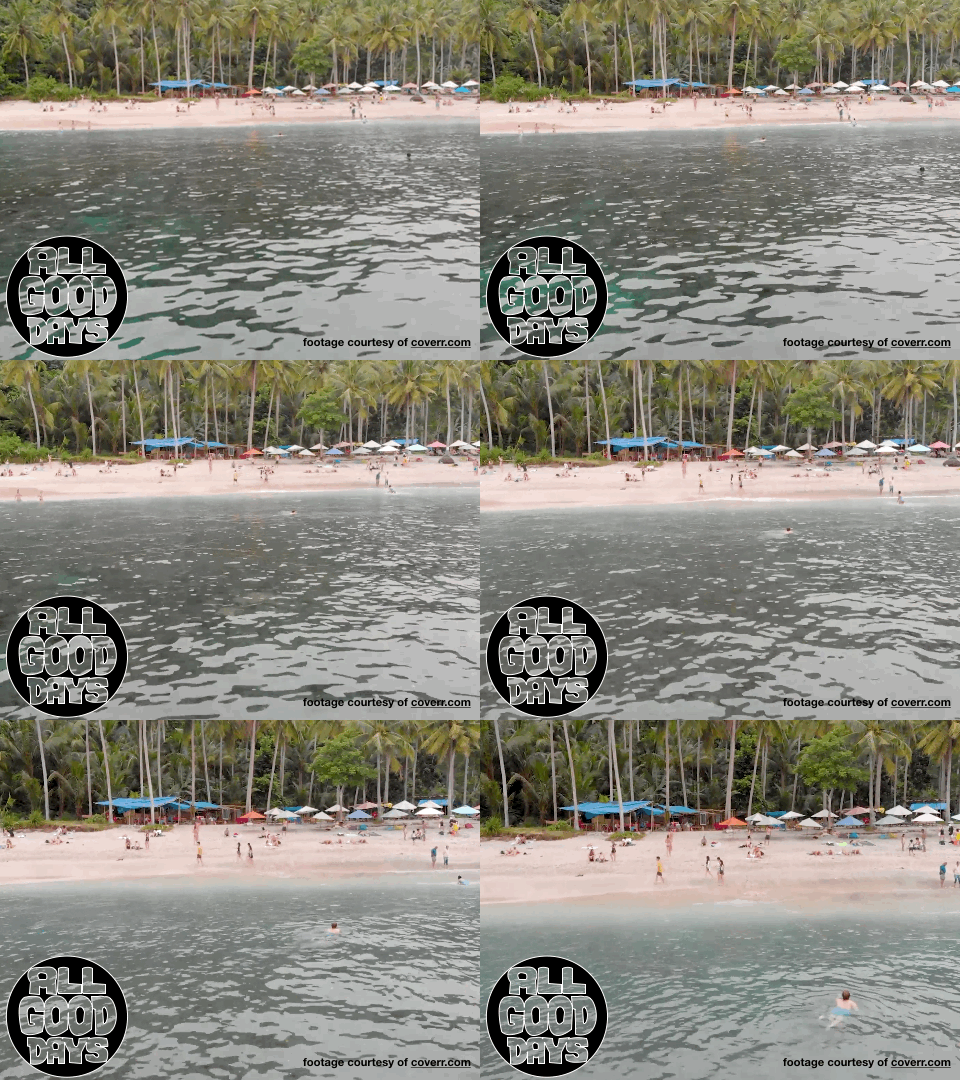

All clips are completely free and all that is required to download one is a one-time email subscription to the site's updates. There's no verification required so enter your mother-in-law's Hotmail account. Seriously though, this is a great site providing great footage, so give them the courtesy of a follow.
One search for "Beach" turned up 127 videos. What a great way to assemble a relaxation video montage to chase away the winter blues.

When you download, you receive a .ZIP file that contains the clip in .MP4 format and a still .jpg. I ran my beach clip through Keynote and turned it into a "Spring Break is Coming" .gif.
Coverr.co opens a world of possibilities when it comes to student video production. My mind immediately goes to digital story-telling, where students could use these video clips as the story's setting. Conversely, teachers can stimulate analog story-telling by using a clip as a writing prompt.
Friday, February 21, 2020
Google Ups Commitment to #CreateWithChrome
As more and more educators call on colleagues to find more ways for their students to use Chromebooks for creative purposes, the Google Mothership is taking steps to make that easier.
Recently Google posted on its Chromebooks in Education page, that a creative bundle will soon be available in the administrative console that features six apps aimed at students producing content and not just consuming it.
The recent additions are:
- Infinite Painter for sketching and drawing
- Squid for charts and diagrams
- Book Creator for storytelling
- WeVideo for video creation
- Soundtrap for music production
- Explain Everything for creating screencasts
While there are tons of sites that foster creativity with Chromebooks, these six are a great start to add to the console. Check out my special page The Chromebook Creativity Project for even resources.
 |
| Six apps that allow kids to #CreateWithChrome will soon be available for installation via the admin console. |
Friday, December 21, 2018
#CreateWithChromeBooks - Remove.bg is a game changer in the graphics game
For years I have struggled with removing backgrounds in portraits. My old standbys have been the Instant Alpha tool in Apple's Keynote and the magic wand selection tool in Pixlr. Both take time with janky workflows and neither produce the perfect final product.
Along comes the new website Remove.bg that works in a web browser like Google Chrome but also on mobile devices in the browser and without a standalone app!
While arguably not 100% perfect...it's as close as I have seen and way faster than anything I have tried. As the site says it works "100% automatically - in 5 seconds - without a single click". Just select your image by uploading or by entering a URL and watch the magic happen.
Here is a picture of my wife and me on the train in Northern California and with the background removed by the site. I then used Pixlr and layered that on top of an image of Times Square at midnight on New Years Eve. Being crammed in the cold with a million people, in the immortal words of Old Blue Eyes, is our "idea of nothing to do" but nobody on Instagram needs to know all we did was eat a dozen pizza rolls and go to bed at 10:15.

Along comes the new website Remove.bg that works in a web browser like Google Chrome but also on mobile devices in the browser and without a standalone app!
While arguably not 100% perfect...it's as close as I have seen and way faster than anything I have tried. As the site says it works "100% automatically - in 5 seconds - without a single click". Just select your image by uploading or by entering a URL and watch the magic happen.
Here is a picture of my wife and me on the train in Northern California and with the background removed by the site. I then used Pixlr and layered that on top of an image of Times Square at midnight on New Years Eve. Being crammed in the cold with a million people, in the immortal words of Old Blue Eyes, is our "idea of nothing to do" but nobody on Instagram needs to know all we did was eat a dozen pizza rolls and go to bed at 10:15.
 |
| Screenshot of the Remove.bg user interface |
 |
| Happy New Year |
The iPad user experience is almost identical. Images can be imported from your camera roll. Transparent images are then downloaded back to your camera roll and available in your favorite graphic design apps that support layers. In this example, Remove.bg deleted the very complex background of the real Times Square.

Monday, December 10, 2018
Listen: My Conversation with John Sowash on The Chromebook Classroom Podcast
 |
| John and Me...somewhere in this group photo from the rooftop of Chicago's Google offices. |
While at the edtech mega-gathering we talked a lot about my "Chromebook Crisis" post and made plans to continue the conversation on the podcast.
Here you go: "Do We Have a Chromebook Crisis?"
In the episode we address that big question but also talk about ways how teachers can foster more creativity with a bevy of tools in the Chromebook environment.

Monday, April 9, 2018
Check out "Check This Out with Ryan and Brian" podcast

What got my attention was when Brian tagged me in a tweet announcing their latest episode. In episode 81, the two California educators spend some time talking about my "Chromebook Crisis" post earlier this winter. Not only are they keeping the conversation going about the need for more more creative uses of Chromebooks, they drew a nice connection to another project already underway.
Ryan has been presenting on and posting with the #CreateWithChromeBooks hashtag since the Fall of 2016 when he launched his own initiative to promote more creativity in learning with Chromebooks. His efforts are right in-line with what I am trying to do with the Chromebook Creativity Project on this site. One of my favorite ideas these guys mention is who cool a CUE Rock Star camp would be if it could be entirely Chromebook creativity themed.
Other cool parts of this episode include throwbacks to an app that emulates 8 bit Where in the World is Carmen San Diego? and the new handheld Oregon Trail game device. They throw in some rants too about a few things in edtech that could use an improvement or just hit the bricks. You also have to tip your hat to a couple of podcasters who share their favorite podcasts. Check out their show notes for links and give the episode a listen.
I am off to listen to more episodes....and get rid of the cutesy tile font I changed my Twitter name to. I agree guys, they're pretty lame.
Subscribe to:
Comments (Atom)