Recently my 4th graders at Blue Star Elementary school completed the "What's in your water?" project-based learning unit.
Students learned about and traced our local watershed and the drain that empty our school parking lot leads to Lake Michigan. They tested several local bodies of water and learned about water scarcity on the Navajo Indian Reservation. As a culminating challenge, students created a fundraiser to support DigDeep and the Navajo Water Project. Students even planned and hosted a full-school kickoff assembly to raise awareness that people in the United States struggle to have access to water. In the end, Blue Star raised $275 for the charity.
As a teacher, I would highly recommend exploring this and other Blue Apple units of study from Van Andel Education Institute. Not only are the units well written and come with a full set of supplies, but the real-human support that Van Andel provides teachers using their curricula is tremendous.
Check out the video shot and produced by VAEI. The video really makes me proud to step back and not just think about the content mastered by these kids but the ways in which we see them interacting and going about that learning.
One of the most fun and engaging activities I have developed this school year is the "Big City Scavenger Hunt" in Google Earth. Basically I give students ten things to locate in a given city and they can use all of the tools within Google Earth find them. A Google Slides document is used for curating each found item in the form of a screenshot and a location.
I tried to use a combination of ones that could be simply searched like "baseball stadium" but also included some that will really pull at reasoning like "Where in New York City are we going to find a ranger from the National Parks Service?". Some are just totally random like "hot dog cart" that they just have to get lucky searching the streets...although hot dog carts in Manhattan are pretty easy to spot.
There are a ton of curricular adaptations that can be made from this one simple activity:
When studying states in a region, simply duplicate the first slide several times, make each one a different capital city of a state in that region and have kids divide and conquer using the Iron Chef Eduprotocol. While we are talking Eduprotocols, have groups create a CyberSandwich to compare and contrast their cities and then compare and contrast things other regions found.
Use the same idea above but have kids explore regions of the world or countries that make up a continent.
Make the scavenger hunt about famous landmarks around you. Instead of recording the address or location, have them list historical importance.
Search for evidence of different biomes or landforms around the globe.
From Young Fives through fourth grade, there really isn't an app that is more universally (pun unavoidable) beloved than Google Earth. My students are enthralled every time they get to explore. It's an easy hook and a great way to make them deeper thinkers and digital explorers.
This activity works well on both Chromebooks and iPads.
On a Saturday way back in 2014 I was honored to present the keynote address at the Michigan Connected Educators Un/Conference. Here are my thoughts I shared with the group. The message is pretty timeless in the sense that six years later I believe this message even more. I have now updated my original post from what I shared with the conference back in '14. It's all still true today.
I started teaching in January of 1995. Who I thought I needed to be in the classroom was a combination of Michigan's legendary football coach Bo Schembechler and Sgt. Hulka from Stripes...and to some extent it was required. I took over a fourth grade classroom for a retiring teacher who had taken every Monday and Friday off the entire first semester. When I had been there eight days, it was the longest stretch of consistency these kids had had all year.
I had high expectations. I was loud with very low tolerance. I expected my students to be exactly like I had been as a student, compliant. Do what I ask when I ask it with few questions...It wasn’t very fun for any of us. I wondered how I would ever endure 30 more years of this.
In 1998 I faced what I figured would be a “make or break” task. I would be teaching a 5-6 split. I would have six 6th graders who all were academically gifted in one way or another and seventeen fifth graders who hadn’t been selected for the previous year’s 4-5 split, primarily due to academics. How was I going to tackle this?
What got me through it was the power of using project based learning with the sixth graders....primarily to keep them occupied while I tried to get my 5th graders ready for the state assessment....MEAP test. That approach overtook my teaching that year and by June all kids were working on all kinds of projects and learning together in so many ways. It also became one of my favorite years of my career. You can smile and cheer instead of bark and gripe when your kids are constantly engaged.
That small group of sixth graders always reminded of the kids in My Science Project (watch the whole thing on YouTube) and from there I discovered that everything we need to know about engaging kids can be learned somewhere in an 80s movie.
Lesson 1: What makes tech useful in the classroom. I present to you the ultimate piece of educational technology. Just watch this trailer and think about how this phone booth from Bill and Ted's Excellent Adventure does exactly what we want our technology to do. These guys have incredible access to primary sources and get to witness history. It is total immersion in content.
If you remember how the film ends, these two put on an amazing rock concert-like oral report. They had the tools to gather information and then presented in a way that expressed the learning through their skills as rock and rollers.
The next lesson is to value the time together. We can not monopolize the time. Jeff Spicoli actually makes a great point in the following clip from Fast Times at Ridgemont High. Mr. Hand shouldn’t be the only one having all of the fun...if we can call it that.
There is probably a better way to set up a "feast on our time" though...but to Mr. Hand's credit, he cared enough about Jeff that he even went to Spicoli's house to make sure his surfing student completed enough work to graduate. Time called Mr. Hand the "original No Child Left Behind Teacher".
Lesson 3: Kids love to the make stuff but it’s our job though to channel that energy into the right opportunities. Gary and Wyatt learned the hard way about being responsible with technology. Okay....this 3d printer might trump the phone booth for top tech honors but we are still talking abouttechnology being used educationally! Weird Science brings one more thought to mind. Did these "two guys" grow up to be Brian Briggs and Ryan O'Donnell, the Bedley Brothers, Brad Waid and Drew Minock, or Kyle Anderson and Joe Marquez?
Somewhat related to #3 is that kids just love to mess with stuff. Even back in 1983 before anyone knew what hacking was, War Games featured some random teens monkeying with North American Aerospace Command (NORAD) and its super sophisticated computer the WOPR. Then in 1986 a kid who looked a lot like the War Games kid was hacking his high school attendance computer so he could go to the museum and a Cubs game. Poor Ferris. He asked for a car and got a computer. Talk about being born under a bad sign. But....he had Internet in 1986. That's not all bad. I wonder if David Jakes ever bumped into Ferris' principal Ed Rooney in any Suburban Chicago educational circles. Rooney could have learned a lot from Jakes.
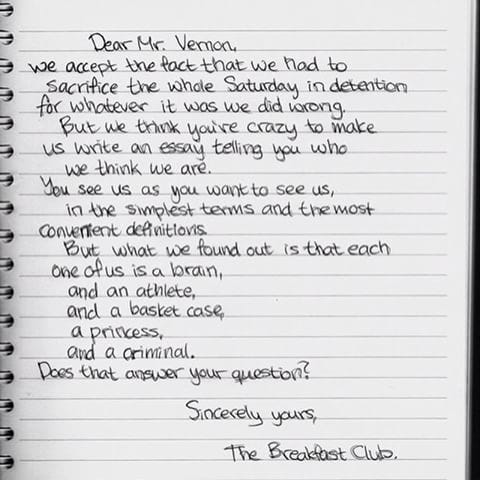
#5 is a concept that took me a long time to get my head around. That inconvenient truth is that in the classroom you cannot use the same approach or lesson design for every kid. You have to diversify your instruction according to each kid's needs. No 80's film better exemplifies this than The Breakfast Club. The principal in the film, Mr. Vernon, required them to each write a 1000 word essay about who they thought they were. Here is the essay Brian ended up writing for all of them.
He is exactly right. Let us never forget that every student is a complex human being and we need to foster development of their whole being.
Final lesson: It's not about you. It's about creating the right environment where kids can thrive. But, that doesn't mean you still can't be right in the middle of the learning fun. Robin Williams in Dead Poet's Society comes immediately to mind but I also give a big nod to Bill and Ted's guide Rufus and quite possibly the coolest teacher ever captured n film, Mark Harmon's character Freddy Shoop from Summer School.
Get in there and dig around with the kids just like Dean Shareski told us at MACUL back in 2014,
"It's not good enough to be the guide on the side anymore. Be the meddler in the middle."
It's been 25 years in the making for me but along the way teaching has become a lot more of an excellent adventure and a lot of a less bogus journey. All I needed to know about teaching is in the movies of the 80's.
I caught this story this morning on Today about changes that YouTube is making to its platform when it comes to videos that creators tag as being made specifically for kids.
The main changes include doing away with comments, no more live chat, no push notifications, not allowing these videos to be added to a playlist, and ending ads that are based off of browser history.
Each day featured some Christmas or holiday themed activity, but there's no reason why now that the lights and ornaments are packed away, that each Chromebook tool can't be utilized for other purposes. For example, on Day 11 I introduced Wayfair's 3d room planner which lets users design their own spaces, furnished (of course) by objects available to buy through the online home store's website. Have kids create the bedroom of a book character or design an original space and write about why they chose what they chose.
There are 25 different fun sites to try and only a few are holiday-specific like Elf-Yourself so most are great tools the whole year round.
Whether it's taking the lost art of paper airplane building to literal new heights or it's infusing an ancient art with some 21st century gadgetry, these holiday gifts are geared to engage the hands, the hearts, and the minds of today's kids while eliciting zero moans, groans, or eye rolling.
I've been doing this list in some form or other for the last few years and every year more and more of my students' parents and local community members tell me how much they appreciate the suggestions. Most rewarding for me is when the kids come back to school after the long break and are excited about something they received that was on the list . Here is the 2018 list and all of these items remain great suggestions.
I am getting the list out a little earlier this season in time for Cyber Monday as all items are available on Amazon. This also helps procrastinators who can use Prime in a pinch to get gifts in time for Christmas Day or whenever you are exchanging presents. Amazon shopping can be super helpful but please remember to frequent your local retailers, especially ones featuring locally made products.
So....with no further ado let's get into the list.
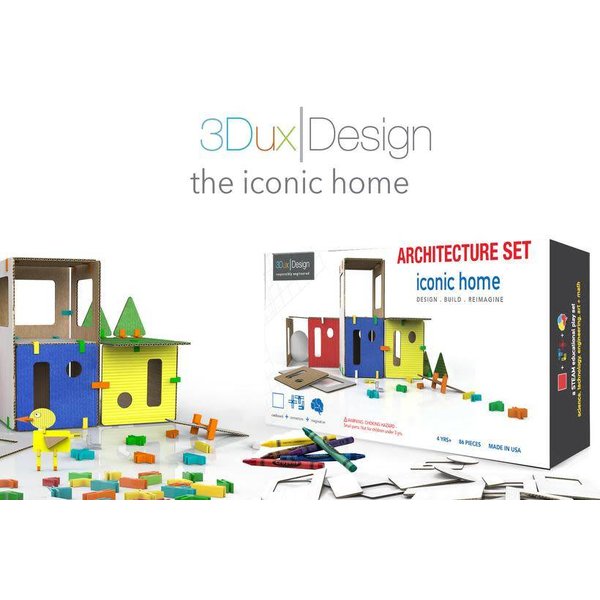
3DUX Design Architecture Set: $27.99 This company was started by a brother and sister who just love to create and build with cardboard. The set comes with an assortment of cut-out cardboard pieces, crayons, instructions, and plastic connectors for building the house featured on the box. The thing I love about this set and the whole 3DUX approach is on its instruction card.
"The 3DUX/Design architectural modeling sets are about the study of form and function. They are about creativity and design thinking. As such, there are no right or wrong way to work with this set. There are no rules."
Plus, all your kids need to do to expand the set is grab a box and cut some new building pieces. The Worx ZipSnip I featured last year would be a great companion. 3DUX/Design offers several other sets, cardboard refills, and connectors on their website so give that a look for products as well as further inspiration.
Teknikio Activating Origami Set: $20Origami is the ancient Japanese art of paper folding, but what makes this gift idea intriguing for the modern kid into gadgetry is the internal circuitry that kids build to "activate" their creations. Each set comes with a stack of folding papers as well as reusable circuitry pieces that allow creations to light up or move. Teknikio also offers on their website additional circuitry pieces at tremendously affordable prices so once kids master these pieces they can expand their electronics building skills.
Activating Origami combines paper creations with circuits kids build.
Power Up Paper Airplane Conversion Kits: $19.99-$49.99I was really surprised last year when I asked fourth graders to fold basic paper airplanes and they had no idea how to even begin. If there is way to bring back this lost art to the current generation then "smart paper airplanes" that involve electric motors and even smartphone navigation in the air are the most likely way to do that. The basic Power Up 2.0 kit ($19.99) allows the user to add a motor and necessary stabilization pieces to common paper airplanes while the 3.0 kit ($49.99) adds a rudder and flaps that are controlled via Bluetooth. The Power Up website even offers more customization. For $79.99 (website only) you can build and fly the FPV model that even includes a live onboard camera. The thing I like best about the Power Up kits is that many of the parts are made of carbon fiber and designed to be impact-resistant upon crashing.
Take to the skies with Power Up smart paper airplane
Fat Brain Toys Disgusting Science Kit: $19.95This one is for the hardcore science kid who's between 6 and 11 years old...or maybe you know a kid who just digs gross stuff. Word to the wise though, this gift might just be the best "revenge gift" on the list. A relative of ours gave me a full drum kit when I was 3 years-old and my mom and dad couldn't wait to get him back. Why not send your adorable nephew home to your big brother's house with all of the makings for creating faux sewer gas, farting slime, and all kinds of other things of the like. This is just one of several Fat Brain toy offerings on this year's list and I am sure you know just the kid this one was made for.
all the fixins for hours of disgusting fun
Squigz - Fun Little Suckers: $24.99-$74.99Here is a much tamer offering from Fat Brain that is tremendous fun and brain building for all kids. I actually first learned about Squigz from my sister. They were on my nephew's birthday list as they're one of his favorite toys to play with during his therapy sessions for Autism. They can be manipulated in all kinds of way and be stuck to all kinds of things. Wait until Grandpa wakes up in his chair after a Christmas Day food coma to have these silicon suckers stuck all over his forehead. Squigz are great in the bathtub and are dishwasher safe when they need a quick clean-up. The 25 piece starter pack is $24.99 and other sizes are available on Amazon including 50 and 75 piece sets. They are endless fun because the number of ways they can be engineered together is endless.
Blutrack Toy Racetrack Starter Kit: $33.95A new spin on an old favorite is the best way to describe what BluTrack has done to the plastic tracks kids have been using to race Matchbox and Hot Wheels cars for 50 years. With BluTrack, cars race side-by-side and there aren't a bunch of short sections to assemble with locking connectors. This starter track rolls up into a 18 foot coil and can be configured into loops and hills according to the builder's imagination. Just stretch the track over household items. The starter set includes wall and floor anchors but no cars. There are additional ramps built by the company, but a couple of soup cans or apple sauce jars will work just as well. The track is designed to accommodate any Matchbox sized car but the BluTrack website features its own cars including ones that can be loaded up with additional mass for scientific experimentation. The company is actively developing deeper dive kits into the force and motion for both play at home and for the classroom so check out their full offerings online.
Code Girls, The Untold Story of the American Women Code Breakers of World War II: $8.99 HardcoverI always like to toss a book suggestion onto this list whenever I can and Code Girls seems like the perfect fit. Author Liz Mundy explores the work of over 10,000 American women who took on codebreaking missions that provided vital intelligence to Allied Forces fighting the Nazis and Japanese during World War II. Here are a couple of reviews for this, the young readers edition.
"The book reads like a movie script, with interesting characters and non-stop action bringing to life the history these women were making and living...excellent."―School Library Connection (starred review)
"Mundy highlights the lives of the many brilliant women who secretly served the code breaking mission against Nazi Germany and Imperial Japan.... A solid resource for younger researchers."―School Library Journal
Klutz Lego Crazy Action Contraptions Book and Bricks: $16.59This one comes highly recommended from one of my top First Grade Lego builders. He'd been bugging me for a couple of weeks about buying one of these sets for the classroom. I haven't done that yet but I am super glad that I took the time to at least research what he was suggesting. A classroom set of these are definitely on the post-winter break acquisition list. What we have here is a guide book that takes readers step-by-step through the construction of 16 different really fun projects with Technic style Legos. The cool thing about these kits is that all of the Lego bricks needed are included and I have seen at least a couple of reviewers state that if you were to just buy the Legos on their own, you'd be paying more than the price of this whole kit. Like any Lego adventure, these project guides are just the starting point for further creativity and innovation.
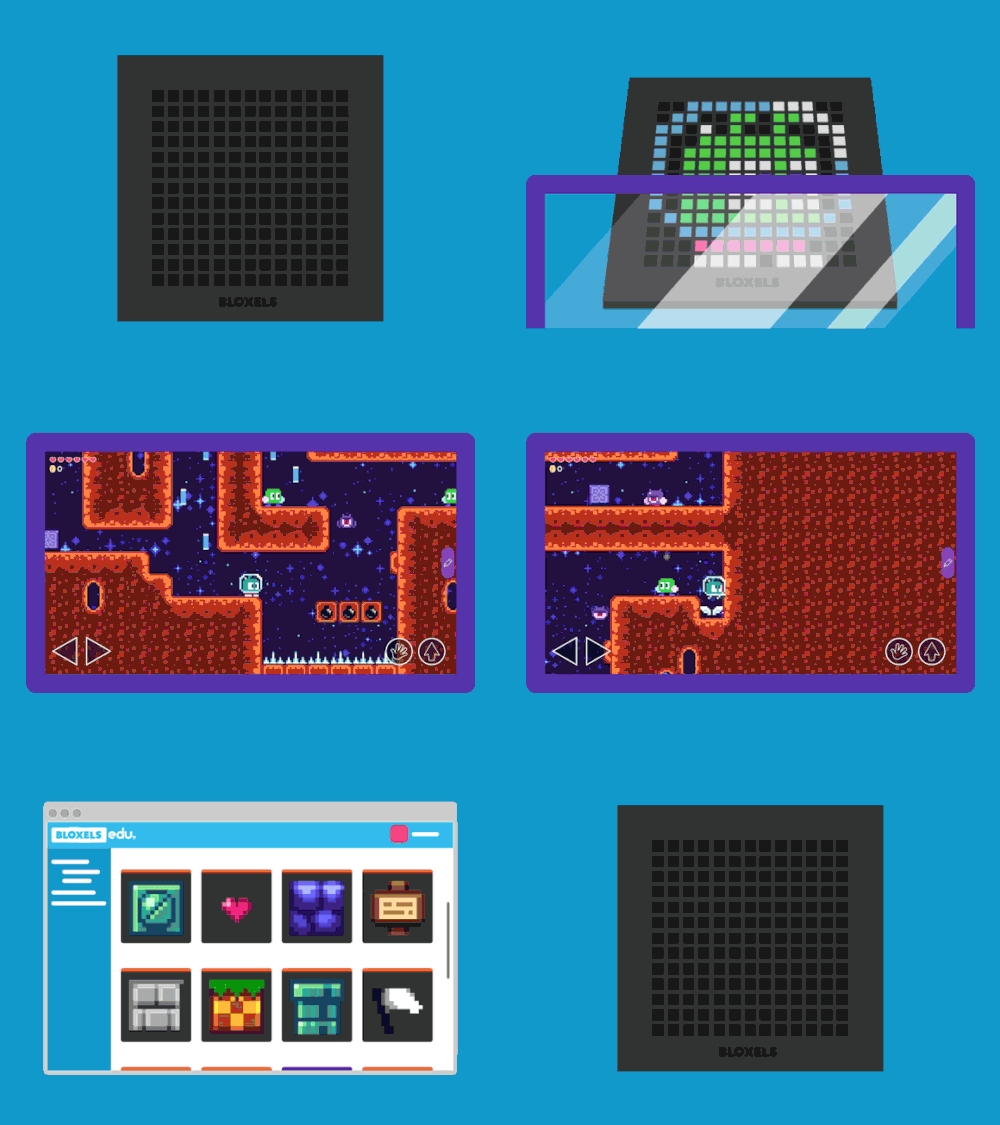
Bloxels: $23.94 If you are really looking for something "techie" here's my top pick this year. Bloxels lets kids physically lay out video game worlds and obstacles by manipulating tiles on a board connected to a tablet app. We hear a lot about kids learning to code and all of the benefits from taking part in activities that build computational thinking. As someone who teaches coding, I see the most impactful learning happen when kids can connect something physical to the programing and Bloxels does just that. The ompany is in a bit of transition right now. Bloxels is wrapping up its contract with Mattel and shifting to a more educational focus as Bloxels EDU. Any purchasers of the discontinued kits still available on Amazon can migrate to a free account at the new site.
Kids build a game board that is captured by the app and then they are able to play their own game creations.
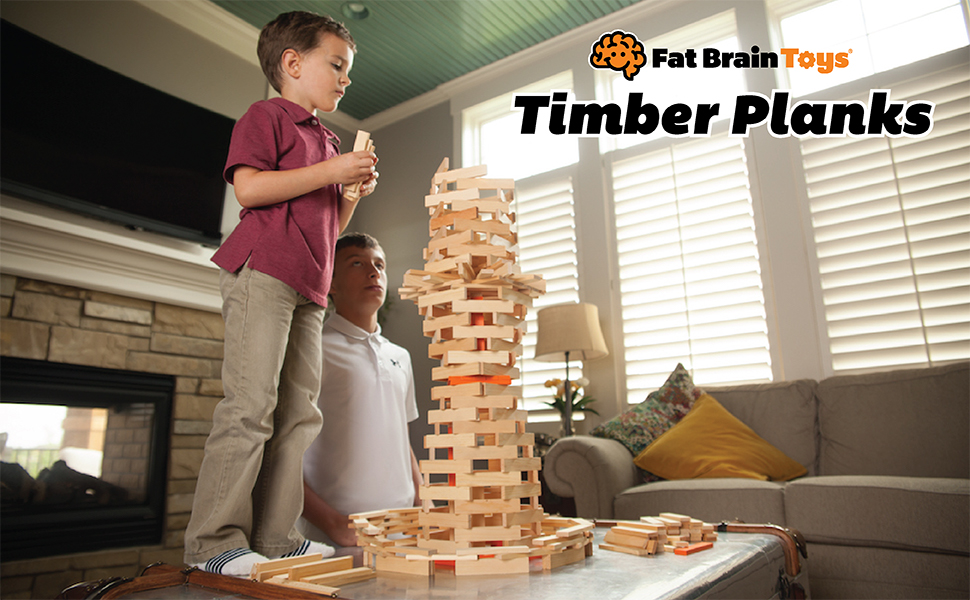
Fat Brain Toys Timber Plank Set (300 blocks): $39.99Fat Brain returns to round out this year's brain engaging yet still fun list of great holiday toys. More than just blocks, timber planks provide hours of engineering, problem solving, and creativity. Each set comes with 300 5"x1", 1/4 inch thick pieces of pine that can be built into endless numbers of structures. In STEM these have proven to be extremely engaging from grades K through 4 but people of all ages find planks this size to be incredibly fun and engaging. Building with blocks has proven for years to build logical reasoning and spatial understanding and yields great social benefits when kids create together. Similar planks are even being used in therapy sessions for adults recovering from post traumatic stress disorder (PTSD) as well as in physical therapy for patients regaining dexterity and small-motor control. While other brands of planks are out there, this set is easily the best deal.
Well, there you have it, Mr. Losik's gift guide for 2019. Many of these suggestions are new spins on classic ideas that are designed to hook into the current generation's interests while still delivering the play and learning benefits that have been engaging kids for decades. There's a little something for everyone in this list and it's my hope that everyone has a wonderful holiday season!
It's an honor to present three sessions this year at Van Andel Institute's "Science on the Grand" conference. Here are links to my presentation slides and session resources for the two day event.
Monday July 15, 2019
Zip Lining Into a Growth Mindset:No elementary student is too young to develop a growth mindset and an understanding of the design process. Experience how an activity like stretching fish line across a classroom to create a Lego zip line can teach students as young as four perseverance and the steps engineers follow when creating new products.
STEM Smart Start:While we often hear of the importance of positive culture in the classroom, most teachers just roll the dice and hope kids come pre-programmed to work together. Culture doesn’t “just happen” and must be intentionally cultivated. Explore ways STEM teachers create a culture of creativity, critical thinking, communication, and collaboration.
Tuesday July 16, 2019 Trashy Gliders:There is a big difference between learning about science and DOING science. In our elementary STEM program students conduct experiments by following testing protocols while discovery the elements of flight. Learn the processes we follow while building and flying gliders made from 3D printed parts.
While my elementary kids are too young to enter the annual Vans Custom Culture Contest (where high schoolers can win $75K for their art programs), I have still found ways to spark creativity with their free templates available on the contest site.
While the printable templates are fun for some unplugged creativity, I have converted the lace-up model into digital form for Keynote, Google Slides, and PowerPoint. Because Keynote is just so stinking rad, there is a ton more functionality because you can fill shapes with images or mask images with precision as shoe parts. PowerPoint has its own cool abilities like filling with images and adding textures. The slides version will let you click on a part and then customize your colors. Users on all platforms can then do further customization by applying graphics with transparent backgrounds on different parts.
The process started by uploading a digital image of a coloring template into Keynote and then I edited shapes (Right click a shape. Select "Make Editable".) to match each part. It's a pretty easy process to master with some practice. Just turn down the opacity so you can see the image you are copying.
The forefoot section, as are all parts of this shoe, is really a shape made in Keynote.
Once I was able to create each part of the shoe, then the real fun started. I was able to simply color some parts and mask other parts with images. One of my all-time favorite photographers is Clark Little, a Hawaiian surfer who braves the shorebreak of the fabled North Shore to create incredible images. Right up there with my love for Clark's work is my love for Vans themselves. So, I imagined the perfect art vs. fashion collaboration and mocked up my own dream set of Clark Little Vans. I then took one more step and put to use the new export as "animated gif" feature and created an image to show them all off.
.Gif created in Keynote with new export feature .
So what kind of cool "custom culture" will you or your students create with the templates?
Apple's Pages, Numbers, Keynote, and iMovie have long been considered powerful tools for the classroom but applying all of that potential can be a real challenge.
Engage learners with multimedia rich "SuperDocs" in Pages and have them export their learning as multitouch iBooks. Discover a minimum of 20 ways to use Keynote for everything but presentations. Get organized with Numbers and overhaul student-created videos with professional techniques.
Apple Distinguished Educator Andy Losik will host three live Zoom conferences and provide on-demand assistance throughout the class and get you prepped to gain AppleTeacher certification. All of this for just $69.
The annual Michigan Association of Computer Users in Learning (MACUL - muhCULL) Conference is back and over 5000 educators will gather in Detroit to learn and share the ways they're impacting students by integrating technology.
This week has been an amazing recharge to my teaching batteries every year since 2005. Here's my schedule of presentations and links to resources.
10:00 am - Foster Creativity Through Visual Storytelling with Keynote - Room 258
Learn how Apple Distinguished Educators empower students to create interactive portfolios, movies, and more"with fun animations, personal illustrations, and customizable shapes"using the Keynote app on iPad. More than a presentation tool, Keynote gives students a powerful way to visually think through stories and ideas.
1:00 pm - Creativity Cage Match: Google Slides vs. Apple Keynote - Room 310A
It's the ultimate app showdown as a Google Certified Everything and an Apple Distinguished Something-or-other slug it out for 60 electrifying minutes to see whether Google Slides or Apple's Keynote will reign supreme. Will Slides' global collaboration features overcome Keynote's insanely great animations or will Keynote's Instant Alpha put Slides' transparent export in a full nelson? We'll give you the whole seat but you'll only need the edge! Session Resources
4:00 pm - Curbing a Chromebook Crisis - Room 310B
As Chromebook adoption has soared in recent year, so has data showing that millions of machines are being used primarily for low level assessments, educationally questionable games, and YouTube. Become part of the solution by increasing your knowledge Chrome-based creativity tools, by integrating time-tested educational protocols, and by exploring how you can join the #CreateWithChrome movement. Help curb this growing crisis. Session Resources
Friday 8:30 am - Apple Everyone Can Create Playground - Atrium
Come and experience the tremendously engaging...and free creativity curriculum from Apple. A whole bunch of Apple Distinguished Educators will be on hand with a bunch of Apple hardware to show you how easy it is to lead your learners in creating stunning art, images, animation, music, and video all through the free iBooks downloads. Session Resources
The MACUL conference is always a highlight of my teaching year. This March's edition is in Detroit and features a great slate of featured speakers, many who have shared at MACUL for numerous years.
This year's live and instantly on demand event takes place on Wednesday January 30 at noon EST and is completely free to all classrooms. Simply sign up at Discovery's special registration link. In addition, educators will find all kinds of additional resources that can be downloaded to get their kids thinking about the benefits of increased physical activity and excited about this live experience.
During the Virtual Viewing Party, educators and their students can join a LIVE Twitter chat to get questions answered by @NFLPlay60, @American_Heart, @DiscoveryEd and other featured participants using #GetMovingPLAY60.
Discovery's broadcasts from previous Super Bowl sites like two years ago in Houston have been big hits with teachers across the country.
Erin Crouch from Portage Public Schools in Michigan shares, “My 2nd graders loved participating in Discovery Education’s virtual field trip for the Super Bowl! We had so much fun going behind the scenes and engaging with the players, mascots, and even a few special guests. We’re looking forward to this year in Atlanta.”
I was lucky enough in 2017 to be on set in Houston to see all of the attention to detail and the incredible energy that goes into these productions. There was great coordination with the NFL's youth outreach department, the American Heart Association, and a Discovery television production crew to pull off the live event. They even asked me to make an appearance alongside the hosts that included then-New York Giant and eventual Dancing with the Stars winner Rashad Jennings.
Even if the noon live showtime doesn't fit well into your teaching schedule, the broadcast is instantly archived and can be shown on demand anytime after it has begun airing. Discovery Education subscribers can even access a wide range of past field trips from Polar Bears in the Arctic to the touring of a nuclear energy plant.
Rita Mortensen from Verona Area High School in Wisconsin has used a variety of Discovery Education's virtual field trips with her students. "The Discovery virtual field trips are a great way to bring real world content into the classroom. These engaging trips allow student to experience and go behind the scenes of so many incredible programs. There is such a wide variety - fascinating!"
Although it is still unknown who will be participating in Super Bowl LIII, the excitement is already building. Register today to bring your students as close to the action as they can get without a ticket.
For years I have struggled with removing backgrounds in portraits. My old standbys have been the Instant Alpha tool in Apple's Keynote and the magic wand selection tool in Pixlr. Both take time with janky workflows and neither produce the perfect final product.
Along comes the new website Remove.bg that works in a web browser like Google Chrome but also on mobile devices in the browser and without a standalone app!
While arguably not 100% perfect...it's as close as I have seen and way faster than anything I have tried. As the site says it works "100% automatically - in 5 seconds - without a single click". Just select your image by uploading or by entering a URL and watch the magic happen.
Here is a picture of my wife and me on the train in Northern California and with the background removed by the site. I then used Pixlr and layered that on top of an image of Times Square at midnight on New Years Eve. Being crammed in the cold with a million people, in the immortal words of Old Blue Eyes, is our "idea of nothing to do" but nobody on Instagram needs to know all we did was eat a dozen pizza rolls and go to bed at 10:15.
Screenshot of the Remove.bg user interface
Happy New Year
The iPad user experience is almost identical. Images can be imported from your camera roll. Transparent images are then downloaded back to your camera roll and available in your favorite graphic design apps that support layers. In this example, Remove.bg deleted the very complex background of the real Times Square.
John and Me...somewhere in this group photo from the rooftop of Chicago's Google offices.
Earlier this Fall I had the honor of joining Google Education expert John Sowash on his "Chromebook Classroom Podcast". We had been fortunate enough this past summer to spend some quality time together in Chicago during ISTE.
While at the edtech mega-gathering we talked a lot about my "Chromebook Crisis" post and made plans to continue the conversation on the podcast.
In the episode we address that big question but also talk about ways how teachers can foster more creativity with a bevy of tools in the Chromebook environment.
I get asked by parents year after year what gifts I recommend that kids will love....and maybe still learn something along the way.
After much deliberation and after many discussions with my Pre-K to 4th grade students, here's the list for the 2018 Holiday Season. Sorry kids, the iPhone XS Max didn't make the list although many of you told me it was on your wishlist. Good luck with that.
This year's list contains a real balance of totally techie gifts and completely unplugged, completely old school toys still beloved by parents and grandparents. What they all have in common is that they build skills and provide experiences that every kid needs in order to live a well-rounded life both in and out of school.
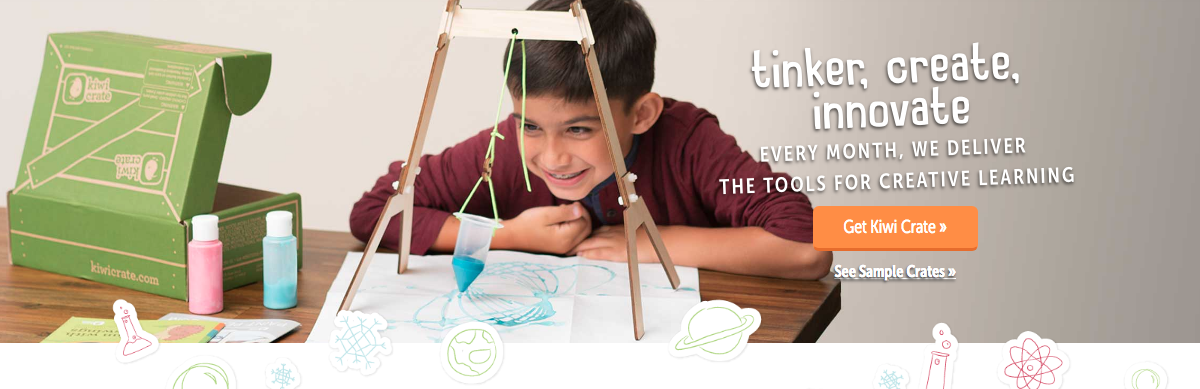
Monthly STEM Crates from KiwiCo - Guaranteed to be a lot more rewarding than the Jelly of the Month Club, each month a new crate arrives in the mail with a fun activity to build and enjoy. Kiwi offers KiwiCrate for kids ages 5-8 and TinkerCrate for ages 9-15. Recent crates we've sampled included an arcade claw game from Kiwi and a fun to build arcade catapult game from Tinker. The subscription price ranges from $16.95 to $19.95 per month depending on length of commitment. Thoroughly check their site though as numerous specials are offered. A recent offer featured 3 months for $39.
MakeDo Cardboard Construction Tools - By the far the best value on this year's list is a fun tool set that will lead to endless hours of creative adventures...and you won't have to figure out what to do with all of those boxes after all of the gifts are unwrapped. It's just $12.50 for the starter set and then you can add-on more screws and tools if you need them. The cardboard box is in the Toy Hall of Fame for a reason. Kids love to create with them. This really ramps up their abilities because now they can attach individual pieces or secure a whole bunch of boxes together. You can order sets from the www.make.do website as well as get really cool project ideas.
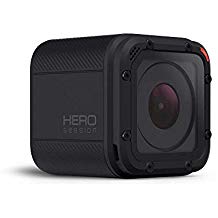
Worx Zip Snip Cardboard Cutter - $34.00 fromWalmart.com -This amazing cutter is the perfect companion to the cardboard construction tools as it is way safer than the typical steak knife that many kids end up using to cut their cardboard boxes down to the desired size. The Zip Snip is very safe. It's not 100% accident-proof but it's close as the blade opening is very small. With a little attention from the child doing the cutting and some adult supervision, it's almost magical how slickly this thing cuts. It's great for all kinds of jobs including opening up plastic packaging and for even cutting gift wrap. GoPro Hero Session 8.0 MP- $114.00 Amazon.com. If your kids really want a GoPro-type camera it’s best to go with the name brand but for most families (unless your kids are really into filmmaking) the entry level model will be plenty of camera. There are some key points to consider however. There is no viewfinder. You use an app on a phone or tablet to set up a shot or to review clips. The free GoPro apps are really great for framing of shots, reviewing shots, and for doing some quick editing of short clips. The footage files though are really big and will fill up phone and tablet space quickly so you will want a computer to edit longer footage.
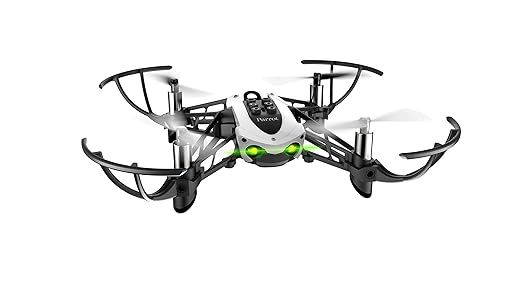
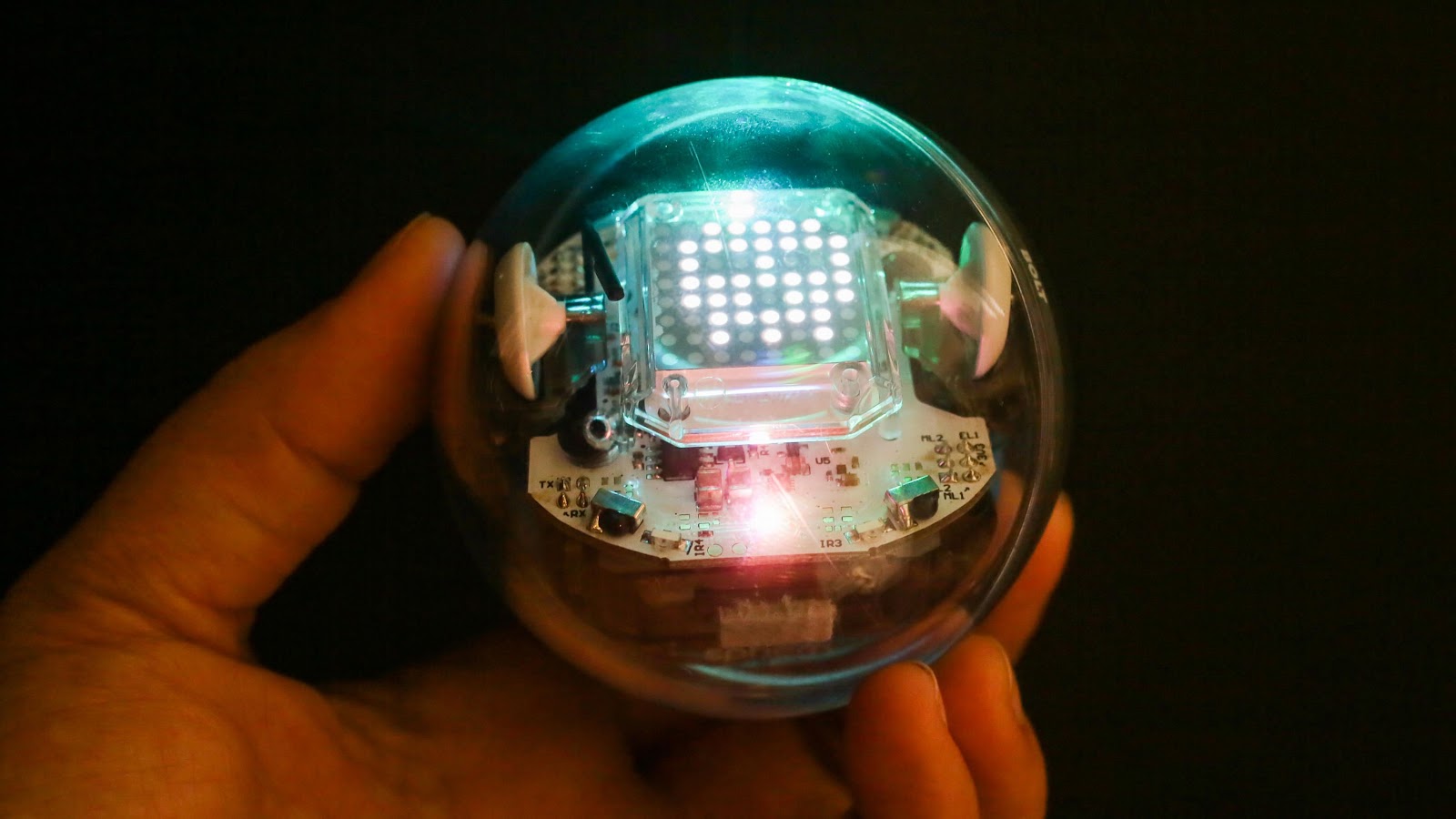
Parrot Mambo Drone - $66 - Amazon - I am also being asked an increasing number of questions about which drone I recommend for kids. Personally, if I was going to buy drones for us to use in STEM, my choice would be the Mambo from Parrot. There are a couple of reasons. For the price, the quality, reliability, and out of the box ease of use set this model apart in an increasingly crowded market. Secondly, the coolest thing I find with this one is that there are tons of coding activities kids can complete to control the vehicle. Talk about taking command through learning. Coding is more than just creating games. It's all about doing high-end math and solving problems. We know that the more puzzles kids do, the better they do in math. Coding to make these things fly is a type of puzzle guaranteed to grow a few brain cells.Sphero- The Bolt ($149) with its LED display panel is on a bunch of wish lists this year but the Spark+ ($99) and Sphero Mini ($49) are also more affordable options. The thing about Sphero that I love is that it ties coding to something tangible. When a kid can see a physical object react to their programming it makes coding far more meaningful than just moving objects on a screen. Note about the Mini: They are much more fragile than the others. Keep them on the floor. We’ve had some casualties from them falling off of the tables in STEM. All are available from Amazon.
Lincoln Logs - $26 to $85 from Amazon. Kids love these very old school analog building toys. They provide hours of unplugged creativity and parents and grandparents love the nostalgic connection they feel when they all build together. Construction toys are so important for boys and girls to play with because we learn common sense and laws of physics. There are lots of stories from female engineers who discovered when they got to college they were at a disadvantage because their male counterparts had so much more experience putting things together. Whether our kids are headed to become engineers or not, the hands-on experience of working with these gems is something everyone should experience.
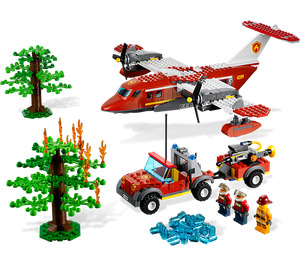
Legos are also a timeless favorite but can be really expensive. Just as apps like Mercari and Poshmark have made dealing in new, used, and vintage items easy options, BrickOwl.com and Bricklink.com are cool third party Lego marketplaces. The Lego Fire Plane 4209 set retails for $68.99 across the web but can be had on BrickOwl for as low as $37.50. We all know that the sets are great but if you can get lots of random blocks for original creations, they'll grow even more creatively. There are new and used bricks so do some research before buying.
More Old School - Every year it seems like our kindergarteners come to us with less and experience with being creative with stuff like construction paper, scissors, and other craft supplies. This is evident in reduced fine motor skills, lower social skills when it comes to creating together, and a need for teachers to prompt more children who simply state they don't know what to make. It's easy for us to blame this on too much screen time but lives of little kids can be bubble wrapped and ultra-organized. Many kids get less and less unstructured "just build it time".
Go out this Christmas and buy lots of things you used to use to just make things. Who's daring enough to buy their kids glitter? Are you ready for a trip to the real danger zone? Get them a hot glue gun to really ramp up the crafting and construction game. How about a real workbench with a hammer and saw like this one from Stanley?
We as educators and parents know that technology is great for helping kids learn and yes, enjoy life. Let's occasionally take a step back and look at what type of balance our children's lives are seeing. They need to explore, document adventures, learn new things, and they need to create with other kids and family members. By putting any of these suggestions under the tree, you'll be helping your kids make that happen.